From log to look.
One click.
One node for DaVinci Resolve — Free and Studio — with the optical filters Hollywood puts in front of the lens: Black Pro-Mist, halation, anamorphic streak, star filter and eight more, stackable like real glass. Plus film looks for 18 camera log formats. No LUT folders, no color science homework.
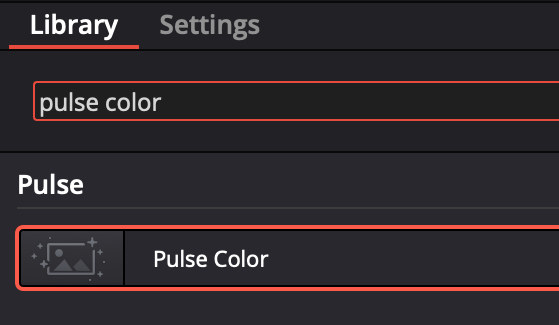
Color page → Effects → OpenFX → search "pulse color". That's the whole hunt.
The filters Hollywood screws on the lens. Stackable, like real glass.
Twelve optical FX, each with its own toggle, freely combinable — the way DPs stack filters on set: Black Pro-Mist · White Pro-Mist · Glimmerglass · Skin Diffusion · Halation · Bloom · Anamorphic Streak · Star Filter (4/6/8 pt) · Enhance · Chromatic Aberration · Vignette · Film Grain. Mist sliders are graded like the physical filters: 0.125 = 1/8, 0.25 = 1/4, 0.5 = 1/2, 1 = full.
The mist family
Black Pro-Mist, White Pro-Mist, Glimmerglass, Skin Diffusion — sliders graded like the physical filters: 0.125 = 1/8, 0.25 = 1/4, 0.5 = 1/2, 1 = full.
Light effects
Halation, Bloom, Anamorphic Streak and a 4/6/8-point Star Filter — measured to behave like the real thing.
Finishing touches
Enhance, Chromatic Aberration, Vignette and Film Grain — all opt-in, all independent.
Real-time playback
LUT-accelerated engine on all CPU cores. Full-speed playback on a 25p HD timeline on a modern multi-core CPU — no GPU required.
Made for Resolve Free
One node that works in the Free version — same node, same looks, on macOS and Windows.
Offline-friendly license
Activate once, work offline for 30 days at a time. Same key as Pulse Edit — one license, the whole suite.
Your camera speaks log. Pulse Color is fluent.
Pick your format, pick a look, done. Every profile is built from measured color science — not eyeballed LUTs.
Six looks. Zero fake grain by default.
Nordic · Cinema Print · Midnight · Daylight · Linen · Amber — print-film rendering chains (cross-talk, highlight desaturation, palette shaping), not Instagram filters. A Look Strength dial blends each from subtle to full. Film character comes from curve, color and light — grain is there if you want it, off if you don't.
Ready in one minute
System requirements
macOS 11 or later (Intel & Apple Silicon) · Windows 10/11 64-bit · DaVinci Resolve Free or Studio 18.5+.
Grade a clip in five moves
Playback stays real-time on an HD timeline — the color pipeline is a pre-computed LUT, the filters run on all CPU cores. No GPU requirements, no proxies needed. Playback speed depends on your CPU: older or low-core machines, and resolutions above HD, will play back slower.
One license. The whole suite.
Pulse Color is included with the Pulse license — the same €13 a month that gets you Pulse Edit's beat detection and auto-editing. No add-on, no second subscription.
Already subscribed? Pulse Color is yours today — download it and use your existing key.
- Pulse Color — looks, profiles & filter FX
- Pulse Edit — beat detection & auto-cut
- Works on DR Free & Studio (18.5+)
- macOS & Windows
- Cancel any time
VAT included. Renews until you cancel. Cancel in one click.
Quick answers
What is Pulse Color?
An OFX color-grading plugin for DaVinci Resolve — Free and Studio — that takes camera log footage to a finished film look in one node, with stackable emulations of on-set optical filters (Black Pro-Mist, halation, anamorphic streak). Included in the Pulse license together with Pulse Edit.
Does it work on DaVinci Resolve Free?
Yes. Pulse Color is a standard OpenFX plugin, and OFX works in Resolve Free as well as Studio (18.5+), on macOS and Windows. The macOS build is notarized by Apple; the Windows build is Authenticode-signed.
Is it a LUT pack?
No. Every camera profile is generated and verified against the colour-science reference library, the looks are full print-film rendering chains, and the filter FX are spatial effects no .cube file can contain — a LUT cannot do halation or Pro-Mist.
Is there a Black Pro-Mist plugin for Resolve?
Yes — Pulse Color emulates Black Pro-Mist, White Pro-Mist, Glimmerglass and Skin Diffusion as stackable OFX effects, with sliders graded like the physical filters (0.25 = a 1/4 filter). Works in Resolve Free and Studio.
How much does it cost?
Nothing extra: it's included in the Pulse license (€13/month or €130/year) together with Pulse Edit. One key, the whole suite, 14-day money-back guarantee, offline-friendly activation (30 days at a time).
Last updated: 25 August 2026 · Pulse Color 1.0
Camera and format names (Sony, ARRI, Canon, Panasonic, Fujifilm, RED, Nikon, DJI, Apple, Leica and their log formats) are trademarks of their respective owners, used to indicate compatibility only. Pro-Mist, Glimmerglass and Black Satin are trademarks of The Tiffen Company. Filter names reference the visual character of those optical filters; Pulse Color is an independent software emulation, not affiliated with or endorsed by Tiffen or by any filter or camera manufacturer.