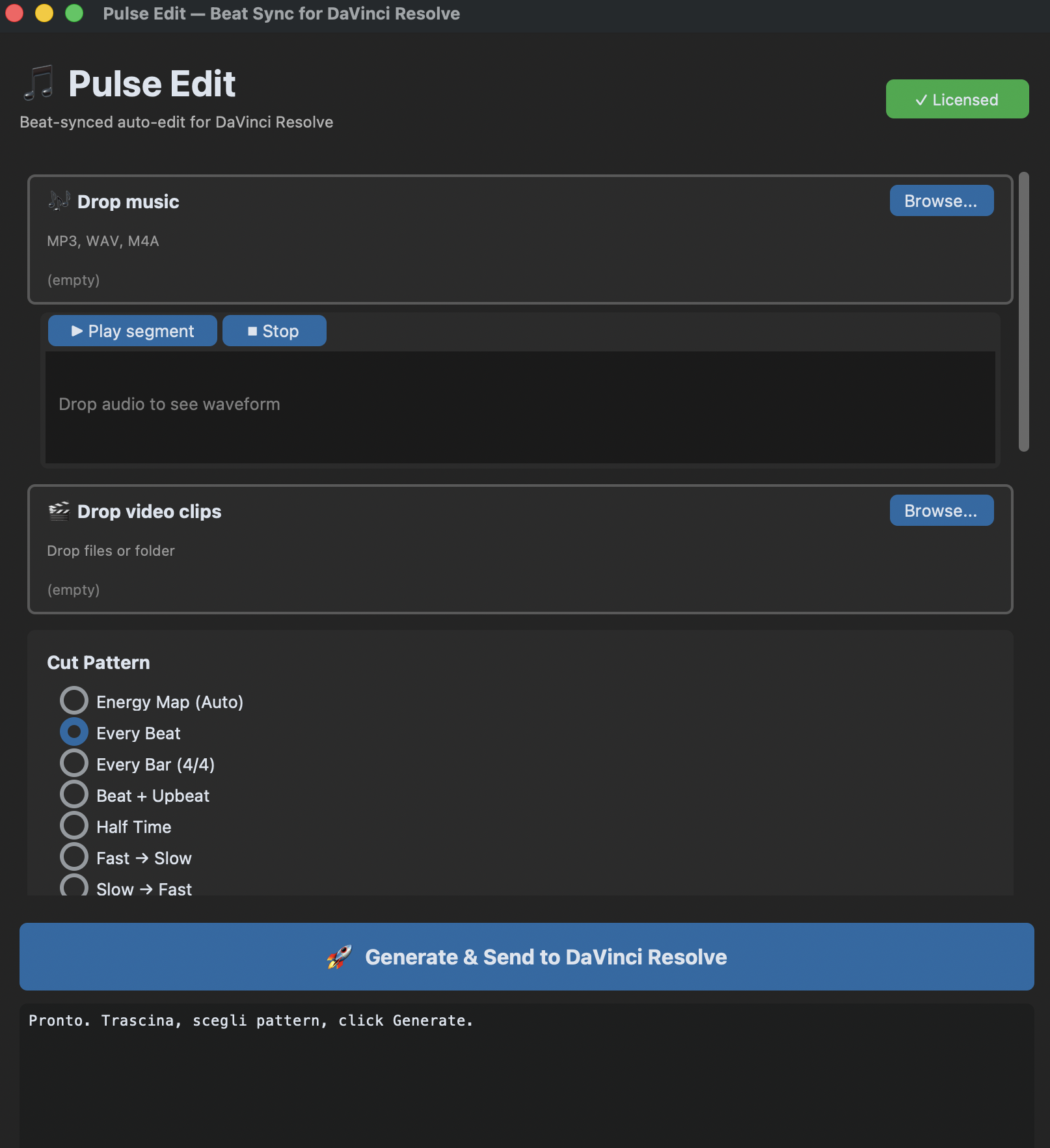
Pulse Edit detects beats, auto-cuts your clips to the music, and applies zoom effects, freeze frames, and AI mood matching. The best BeatEdit & AutoCut alternative for DaVinci Resolve. One-time purchase, no subscription.
macOS & Windows — Requires DaVinci Resolve Studio 18+ (not free version) — No credit card required
Three steps. Zero manual cutting. Your edit synced perfectly to every beat.
Select your audio track and click Detect. Pulse Edit uses AI-powered beat analysis to find every beat, bar, and subdivision. Adjust sensitivity to catch only strong beats or every nuance. Supports any time signature: 2/4, 3/4, 4/4, 5/4, 6/4, 7/4.
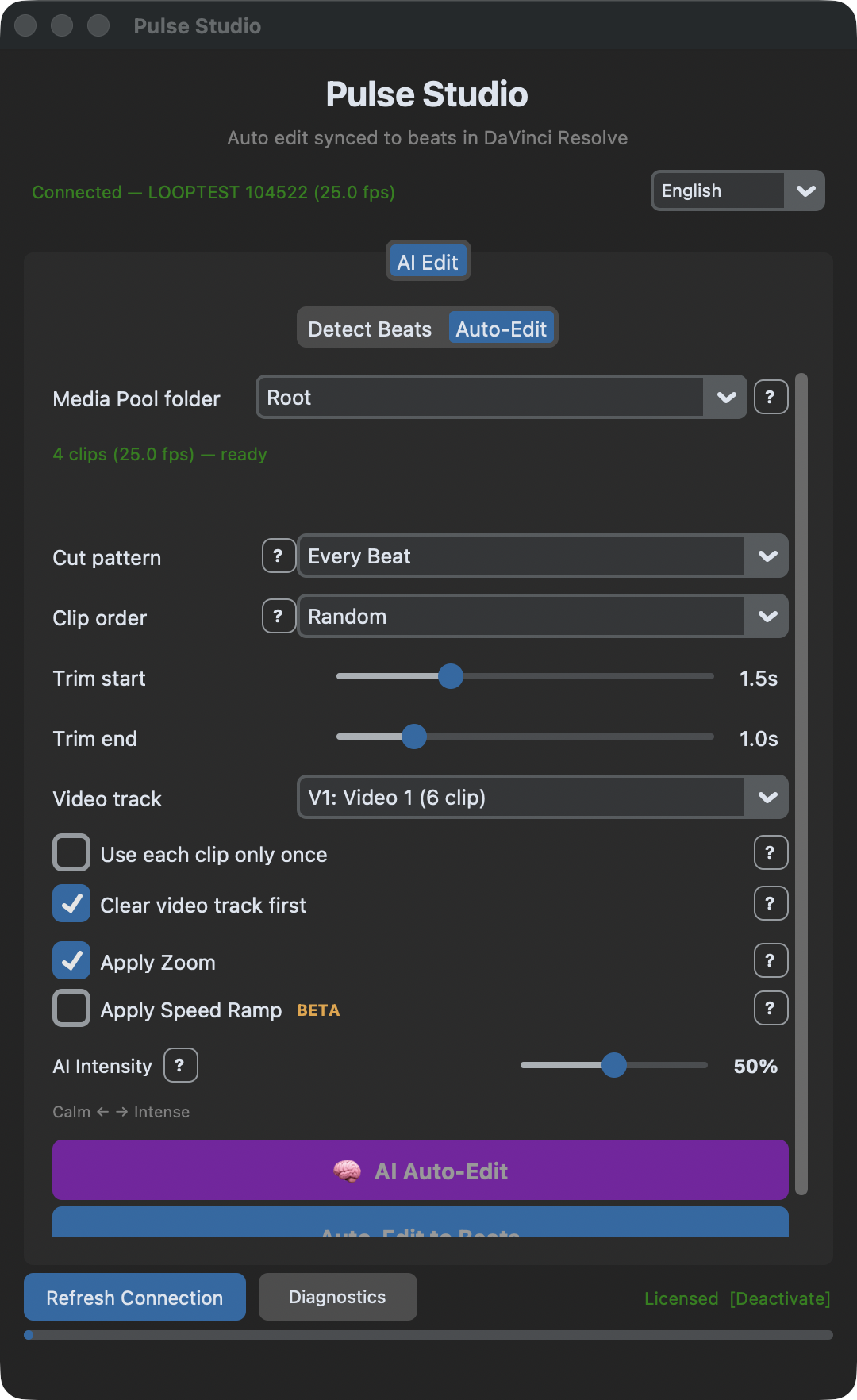
Choose a cut pattern (Energy Map, Every Beat, Buildup, Wedding, and 7 more). Pulse Edit automatically takes clips from your Media Pool, cuts them to length, and places them on the timeline perfectly synced to every beat. Sequential or random clip order.
Choose a mood (Calm, Energetic, Epic...) or manually apply zoom effects with 14 easing curves and freeze frames. Each clip gets unique, non-repetitive effects matched to the music's energy.
From automatic beat detection to AI-powered zoom effects and mood matching. One plugin, zero manual work.
AI-powered BPM and beat analysis with adjustable sensitivity. Detects beats, bars, and subdivisions in any music track. Supports time signatures from 2/4 to 7/4.
Automatically cuts and places clips from your Media Pool to the timeline, perfectly synced to detected beats. 11 cut patterns including Energy Map that adapts to your music's intensity.
14 easing curves including Elastic, Bounce, and Overshoot. Directions: In, Out, In-Out, Alternate, Random. No black borders guaranteed. Cinematic motion on every clip.
6 presets: Calm, Happy, Melancholic, Energetic, Aggressive, Epic. The AI matches effects, easing, and intensity to your music. Adjustable intensity slider from gentle to extreme.
Dramatic freeze moments synced to the beat. Toggle on/off. Cinematic reel-style edits that stop time at the perfect moment. Free update.
Analyzes 7 audio features to map your music's energy. More energy = more cuts. Calm sections = longer shots. Your edit breathes with the music automatically.
Gold downbeat + red subdivision markers placed directly on the DaVinci Resolve timeline. Real snappable markers. Subdivisions: 1/2, 1/3, 1/4, 1/6, 1/8.
Created by a professional video editor who uses it every day on real projects. Full interface in English and Italian. macOS (Apple Silicon) & Windows 10/11.
Automatic speed ramps synced to beats. 14 easing curves, slow motion with Optical Flow, fast-slow and slow-fast ramp types. Cinematic speed effects on every clip.
Automatic transitions between clips: Cross Dissolve, Dip to Black, Dip to White. Applied in sync with the beat for smooth, professional cuts.
From fast-paced energy cuts to smooth slow builds. Choose the rhythm that fits your music video, reel, or commercial.
BeatEdit places markers. AutoCut charges monthly. Pulse Edit auto-edits your entire video to the beat — one-time purchase.
| Feature | Pulse Edit | BeatEdit ($49.99) | AutoCut ($15/mo) |
|---|---|---|---|
| Beat Detection | ✓ | ✓ | ✓ |
| Beat Markers on Timeline | ✓ | ✓ | ✗ |
| Auto-Edit Clips to Beats | ✓ | ✗ | ✗ |
| 11 Cut Patterns + Energy Map | ✓ | ✗ | ✗ |
| Zoom Effects (14 Easing Curves) | ✓ | ✗ | ✗ |
| AI Mood Analysis (6 Presets) | ✓ | ✗ | ✗ |
| Freeze Frames | Coming Soon | ✗ | ✗ |
| Speed Ramps + Optical Flow | Coming Soon | ✗ | ✗ |
| Auto Transitions | Coming Soon | ✗ | ✗ |
| Free Lifetime Updates | ✓ | ✗ | ✗ |
| One-Time Purchase | ✓ | ✓ | ✗ (subscription) |
| Price | $49.99 once | $6.60–$14.90/mo |
Lifetime license. No subscription. No monthly fees. All future updates and new features included free.
Markers only
Launch price — 50% OFF
1 License
Launch price — 50% OFF
2 Licenses
€32.50 per license
Launch price — 50% OFF
5 Licenses
€25 per license
Launch price — 50% OFF
4 free uses. Full functionality. No credit card required.
BeatEdit is Premiere-only. Here's what DaVinci Resolve editors should use instead.
From beat detection to one-click auto-edit — the complete guide.
The essential plugins and tools for music video editing in Resolve.
Pulse Edit detects beats in your music, then automatically cuts and places clips from your Media Pool to the timeline synced to every beat. Choose from 11 cut patterns including Energy Map. Works inside DaVinci Resolve Studio 18 or later.
Pulse Edit is a BeatEdit alternative that goes beyond markers. While BeatEdit only places beat markers ($49.99), Pulse Edit auto-edits your clips, applies zoom effects with 14 easing curves, AI mood analysis, and freeze frames — all synced to the beat. Launch price: €40 one-time (50% off).
Yes. Both Pulse Edit and Beat Markers require DaVinci Resolve Studio 18 or later. The scripting API needed to place markers and auto-edit clips is only available in the Studio version.
Yes. Pulse Edit analyzes the beats in your music track, then automatically cuts and places video clips onto the timeline synced to those beats. You can choose from 11 cut patterns to control the rhythm and pace of your edit.
Yes. Beat Markers has 3 free uses, Pulse Edit has 4 free uses. No credit card required. Full functionality during the trial. Download and try it before you buy.
No. One-time payment, lifetime license. You buy it once and use it forever, including free updates. No monthly fees, no annual renewals.
Beat Markers only places markers on your timeline. Pulse Edit does that plus auto-edits your clips to beats, applies zoom effects with 14 easing curves, AI mood matching with 6 presets, and freeze frames. Pulse Edit includes everything Beat Markers does and much more.
Choose a mood preset (Calm, Happy, Melancholic, Energetic, Aggressive, Epic) and adjust the intensity. Pulse Edit automatically selects the right zoom curves, easing styles, and effect distribution for each clip based on the music.
macOS (Apple Silicon: M1, M2, M3, M4) and Windows 10/11 (64-bit). Requires DaVinci Resolve Studio 18 or later.
AutoCut costs $6.60–$14.90 per month (subscription) and focuses on silence removal. Pulse Edit is a one-time purchase (€40 launch price, 50% off) with beat detection, 11 auto-edit cut patterns, zoom effects, and AI mood analysis. No monthly fees, no annual renewals.
Yes. Pulse Edit includes a "Wedding / Slow" cut pattern for elegant edits, plus Energy Map for high-energy event recaps and travel montages. Zoom effects and freeze frames add cinematic flair to any project — weddings, reels, music videos, commercials, and social content.
Resolve's native "Show Music Beats" only shows visual beat indicators on the waveform — you still have to cut manually. Pulse Edit and Beat Markers place real, snappable markers on the timeline, and Pulse Edit goes further by auto-editing clips to beats with effects.
Pulse Edit is the most complete auto-edit plugin for DaVinci Resolve Studio. Detects beats, auto-cuts clips from your Media Pool, applies zoom effects with 14 easing curves, AI mood matching, and freeze frames. One-time purchase at €79.99 — no subscription like AutoCut.